

If you use an iPhone, you’ve probably had that confusing moment where your messages suddenly turn green instead of blue. For many users, seeing green bubbles instantly creates panic and questions like:
- “Did they block me?”
- “Is my iMessage broken?”
- “Why did my text stop showing Delivered?”
- “Does green mean the message failed?”
- “Why are my iPhone messages green all of a sudden?”
The truth is, the green text meaning on iPhone is usually much simpler than people think. In most cases, green text bubbles simply mean your message was sent as a regular SMS instead of Apple’s iMessage service.
You can also read: What Does SMB Mean in Text Messages: 7 Powerful Facts You Should Know About SMB on Snapchat, TikTok & Instagram
Many people misunderstand what the green text meaning on iPhone actually means.
In this complete guide, you’ll learn:
✔ The real green text meaning on iPhone
✔ Why do messages switch from blue to green
✔ whether green text meaning on iPhone you’re blocked
✔ How SMS and iMessage differ
✔ all common causes of green messages
✔ real texting examples
✔ tips to fix green texts
✔ platform differences and FAQs
By the end, you’ll fully understand green text meaning on iPhone.
The biggest difference in the green text meaning on iPhone discussion comes down to two messaging systems:
| Bubble Color | Meaning |
| Blue | iMessage |
| Green | SMS/MMS |
Blue messages use Apple’s internet-based iMessage system.
Green messages use your mobile carrier’s standard SMS or MMS network.
That’s why the color changes depending on:
- internet connection
- device type
- iMessage settings
- Apple server status
- and the recipient’s phone
What Do Green and Blue Messages Mean on iPhone?
Understanding the green text meaning on iPhone starts with knowing how Apple messaging works.
Blue Messages (iMessage)
Blue bubbles mean:
👉 The message was sent through iMessage
iMessage works only between Apple devices, like:
- iPhone
- iPad
- MacBook
Blue message features:
- ✔ read receipts
- ✔ typing indicators
- ✔ HD photos/videos
- ✔ message reactions
- ✔ edit & unsend features
- ✔ encryption
- ✔ internet-based messaging
Green Messages (SMS/MMS)
The primary green text meaning on iPhone is:
👉 Your text was sent using SMS or MMS instead of iMessage.
Green messages:
- Use your cellular carrier
- work with Android devices
- Do not rely on Apple servers
Green message features:
- ✔ works without iMessage
- ✔ compatible with Android
- ✔ uses cellular network
- But limitations include:
- ❌ no read receipts
- ❌ lower photo quality
- ❌ no message editing
- ❌ limited reactions
Does a Green Text Message on iPhone Mean You Are Blocked?
One of the biggest myths around green text meaning on iPhone is that green automatically means blocking.
👉 That is NOT always true.
Messages can turn green because:
- The person uses Android
- iMessage is turned off
- There’s no internet connection
- Apple servers are down
- SMS fallback activated
- weak signal or airplane mode
However, if:
- Messages suddenly turn green
- You stop seeing “Delivered.”
- Calls go directly to voicemail
- FaceTime stops working,
- Then, blocking becomes one possible explanation.
But green alone does NOT confirm blocking.
Why Are My Messages Green When They Should Be Blue?
If you’re texting another iPhone and the bubble suddenly changes color, these are the most common causes behind the green text meaning on iPhone issue.
1. iMessage Is Turned Off
Either you or the recipient has disabled iMessage.
Example:
A: “Why are your texts green?”
B: “I accidentally turned iMessage off 😭”
2. No Internet Connection
iMessage requires:
- WiFi
- or mobile data
Without the internet, iPhones switch to SMS automatically.
Example:
“My WiFi died, so everything turned green 💀”
3. Apple Server Problems
Sometimes Apple’s iMessage servers temporarily stop working.
During outages:
- Messages may fail
- Texts may turn green
- Delivery receipts disappear
4. Wrong iMessage Settings
- Your Apple ID or phone number may not be linked correctly.
5. The Other Person Switched Phones
- If someone moves from iPhone to Android:
- 👉 Your texts become green automatically.
How to Fix Green Messages to Blue on iPhone
If the green text meaning on iPhone issue is happening unexpectedly, these fixes usually help.
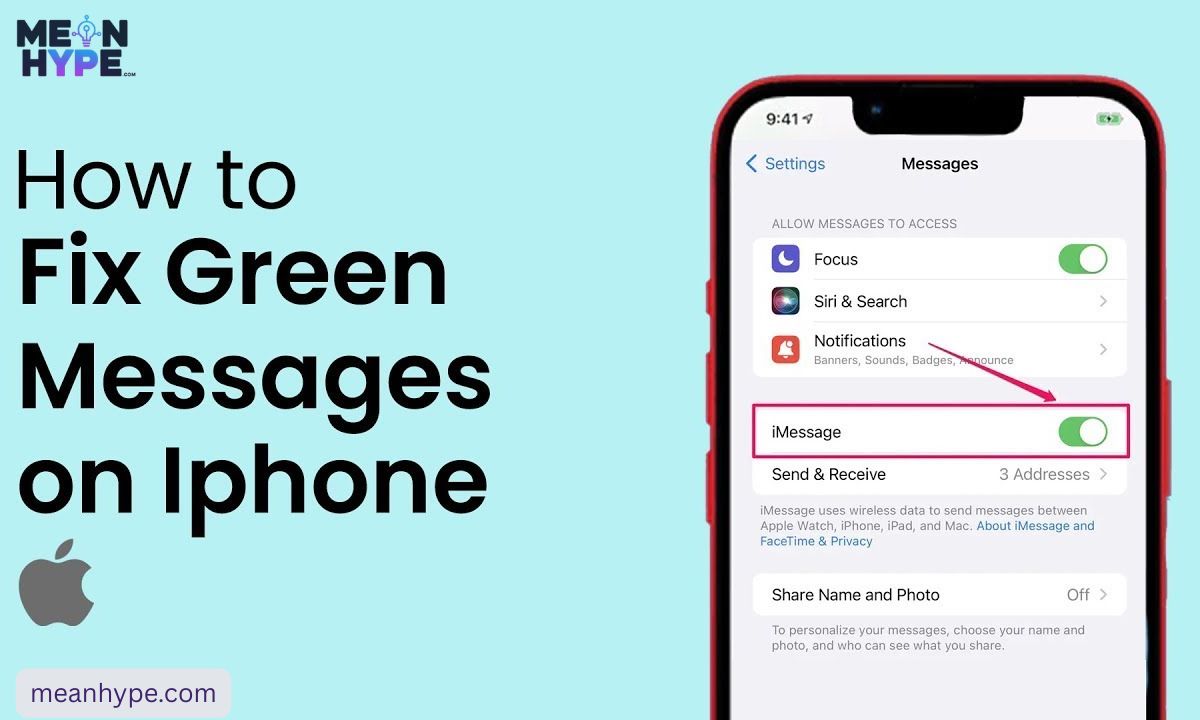
1. Turn iMessage On
Go to:
- Settings → Messages → iMessage
Make sure it’s enabled.
2. Check Your Internet
Connect to:
- WiFi
- or mobile data
3. Restart Your iPhone
- Simple restart = refreshes messaging services.
4. Sign Out & Back Into Apple ID
- Sometimes reactivating iMessage fixes sync problems.
5. Check Apple System Status
- If Apple servers are down, wait until the service returns.
How Do You Know if a Green Text Message Was Delivered on iPhone?
- Unlike iMessage:
- 👉 SMS messages usually do NOT show delivery confirmations.
With blue iMessages, you may see:
- Delivered
- Read
Green messages usually only show:
- sent successfully
- or “Not Delivered” if failed
Green Message iPhone: Common Questions
Why did my iPhone messages suddenly turn green?
Usually because:
- iMessage is unavailable
- The internet is disconnected
- The recipient uses Android
- Or Apple services failed temporarily
Can iPhones send green messages to other iPhones?
Yes. If the internet or iMessage fails, SMS takes over.
Does green text mean that someone blocked you?
No. Blocking is only one possible reason.
✔ Summary
| Blue Messages | Green Messages |
| iMessage | SMS/MMS |
| Internet-based | Cellular network |
| Read receipts | No read receipts |
| HD media | Lower quality media |
| Edit/unsend | No editing |
What Is Green Text meaning on iPhone? (Primary Meaning)
The main green text meaning on iPhone is simple:
👉 Your message was sent as SMS/MMS instead of iMessage.
This usually happens when:
- The internet is unavailable
- The recipient uses Android
- Or iMessage isn’t working
Chat-Style Examples
Example 1
A: “Why are your texts green today 😭”
B: “My WiFi is dead 💀”
Example 2
A: “Did you block me?”
B: “NOOO I’m just in airplane mode 😂”
Example 3
A: “Why did the group chat turn green?”
B: “Someone added an Android user 😭”
Why This Green Text Meaning on iPhone? Tone & Emotion
Green bubbles can sometimes create different interpretations depending on the context of the conversation:
• 😕 Confusion → when a chat suddenly changes from blue iMessage to green SMS without warning
• 😤 Frustration → when messages stop sending as iMessage and switch to SMS repeatedly
• 😐 Neutral feeling → when iMessage is simply unavailable, and SMS is used as a backup option
• 🤔 Misunderstanding → when users assume something is wrong just because the bubble color changed
• 🚫 Wrong assumption → Some people mistakenly think green bubbles mean they’ve been blocked, which is not always true
💡 In reality, the color only reflects the messaging system being used, not the emotions or intentions behind the conversation.
Also See: Zupfadtazak: The Digital Enigma Captivating the Internet
Other Reasons Messages Turn Green
The phrase green text has several different meanings on an iPhone.
1. The Person Uses Android
Green is automatic when texting on Android devices.
2. iMessage Disabled
Either side may have turned it off.
3. Weak Internet
No WiFi = SMS fallback.
4. Apple Server Outage
Rare but possible.
5. Blocking
Possible — but not guaranteed.
6. Send as SMS Enabled
Your iPhone may automatically switch to SMS.
7. Weak Signal Areas
Rural locations, tunnels, or highways can trigger green texts.
8. Group Chats With Android Users
One Android participant makes the whole chat green.
9. Low Power Mode
Sometimes, background services become limited
10. Apple ID Issues
Signing out of Apple services can force SMS.
When to Use It and When to Avoid It
When Green SMS Is Fine
- ✔ texting Android users
- ✔ low internet situations
- ✔ basic communication
- ✔ emergency texting
When You Should Avoid Green Messages
- ❌ sending HD videos
- ❌ sensitive conversations
- ❌ large group chats
- ❌ international messaging costs
- ❌ When read receipts matter
Usage Table
| Context | ✔ / ❌ | Notes |
| Android texting | ✔ | SMS required |
| No internet | ✔ | Expected behavior |
| HD media sharing | ❌ | Quality drops |
| Group chats | ❌ | Features disappear |
| Professional texting | ✔ | Reliable fallback |
4 Usage Tips
- Don’t assume green means blocking.
- Check the internet before panicking.
- Avoid MMS for high-quality media.
- Use iMessage whenever possible for better features.
Real Conversation Examples
1. Blocking Fear
A: “Your bubble turned green 😭”
B: “I’m literally camping rn relax 😂”
2. Android Switch
A: “Why are your texts green now?”
B: “I switched to Samsung 👀”
3. Weak Signal
A: “Everything’s green today 💀”
B: “No service on the highway.”
4. Group Chat Problem
A: “Why is the GC green?”
B: “Someone added an Android user 😭”
5. Blurry Photos
A: “Why is the image blurry?”
B: “It was sent as MMS.”
Related Slang & Terms
- iMessage — Apple messaging system
- SMS — standard text messaging
- MMS — multimedia text messaging
- Delivered — message reached device
- Read Receipts — opened confirmation
- RCS — Android advanced messaging
- Airplane Mode — disables networks
Platform Differences
🍏 Apple Device to Apple Device (iMessage)
When both users are using iPhones, messages go through the iMessage service.
- 🔵 Blue chat bubbles = iMessage (internet-based)
- 🟢 Green bubbles = SMS or MMS fallback
✨ Available features:
- Message reactions (tapbacks like ❤️ 👍 😂)
- Edit sent messages (within time limit)
- Undo send option
- High-quality photos and videos
- Smooth delivery over Wi-Fi or mobile data
💡 Summary: Full-feature Apple messaging experience
📲 iPhone to Android Communication
When an iPhone sends a message to an Android user:
- Messages always appear as 🟢 green bubbles
- System switches to SMS/MMS instead of iMessage
🚫 What you lose in this mode:
- No “seen” or read receipts
- No typing animation (… indicator)
- No iMessage-style reactions
- Media gets compressed (lower quality photos/videos)
- No advanced message effects
💡 Simply put: it becomes basic carrier texting
💬 WhatsApp & Facebook Messenger
These apps work independently of the phone’s SMS systems.
- ❌ No concept of blue or green bubbles
- ✔ Messaging works through the internet only (Wi-Fi/mobile data)
📌 Common features:
- Read receipts (seen/delivered status)
- Typing indicator
- Voice & video calls
- Better media sharing compared to SMS
💡 Key idea: Same experience on all devices
📸 TikTok & Instagram Messaging
Direct messages on social platforms work inside their own systems.
- ❌ Not connected to iMessage or SMS colors
- ❌ No green/blue bubble structure
📌 What you can do:
- Send messages within the app only
- React with emojis and replies
- Share photos/videos (platform-dependent features)
- See activity status (varies by settings)
💡 Important: These are fully separate chat systems
FAQs
1. Does green text mean I’m blocked?
No. It can happen for many reasons besides blocking.
2. Do green messages still deliver?
Yes — if your cellular network works.
3. Why are green message photos blurry?
MMS compresses images heavily.
4. Can green texts be edited?
No. Only blue iMessages support editing.
5. Can you force blue messages?
Only if:
- Both devices use iMessage
- And the internet is active
Conclusion
The real green text meaning on iPhone is simply that your message was sent using SMS or MMS instead of Apple’s iMessage service. While many people assume green bubbles automatically mean blocking, most of the time the cause is much simpler — internet issues, Android devices, disabled iMessage, or temporary Apple service problems.
Once you understand the difference between green and blue messages, it becomes much easier to avoid confusion, send better-quality media, and know exactly what’s happening during your conversations.

Ston is the founder and author of MeanHype, a website dedicated to explaining meanings, definitions, slang terms, phrases, abbreviations, and modern internet language in a simple and easy-to-understand way. With a passion for language and digital culture, Ston creates helpful content that makes complex or trending terms clear for readers around the world.